
Smart Locks
Best Smart Lock for Apple HomeKit (2026): 5 Models Side by Side
 By Laura Benning · Updated · How we pick
As an Amazon Associate I earn from qualifying purchases. Specs below come from each product's Amazon listing; we do not test products in person.
The Aqara Smart Lock U50 leads this list for Apple HomeKit with Apple Home Key tap entry, a touchscreen keypad and auto-lock after the door closes. The ULTRALOQ Bolt adds built-in Wi-Fi and fingerprint entry for up to 50 fingerprints, while the Lockly Visage adds facial recognition and a fingerprint sensor for up to 99 prints.
Starting out? See the main guide: Best Smart Lock
Top picks at a glance
-
 Best OverallAqara Smart Lock U509.8 View on Amazon
-
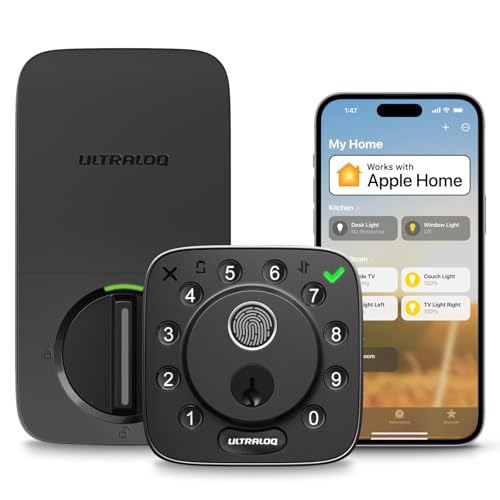 9.7 View on Amazon
-
 9.7 View on Amazon
-
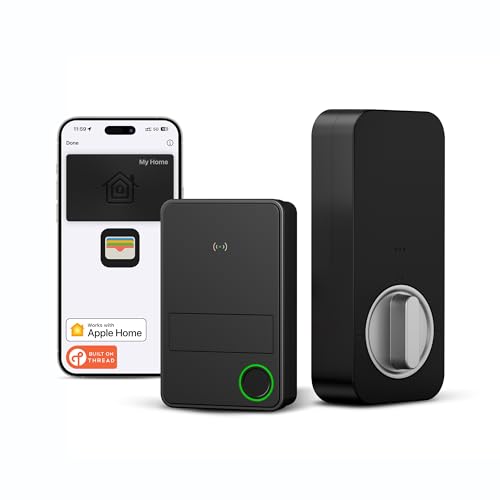 9.4 View on Amazon
-
 Also GreatYale Assure Lock 2 WiFi Deadbolt Smart9.2 View on Amazon
Compare the specs
Ranked on fingerprint reader, keypad, auto-lock, phone app control, works with alexa / google from each listing, plus how many buyers have rated it. A dash (—) means we could not confirm that figure from the listing.
| Pick | Fingerprint reader | Keypad | Auto-lock | Phone app control | Works with Alexa / Google | Weight | Warranty |
|---|---|---|---|---|---|---|---|
| 1. Aqara Smart Lock U50 | Yes | Yes | Yes | Yes | Yes | — | — |
| 2. ULTRALOQ Bolt Fingerprint WiFi Smart Lock | Yes | Yes | Yes | Yes | Yes | 1 lb | 18-month |
| 3. Lockly Visage Zeno Series Facial Recognition Smart | Yes | Yes | — | Yes | Yes | — | — |
| 4. ThorBolt X3 Smart HomeKit Keyless Entry Fingerprint | Yes | — | Yes | Yes | — | — | — |
| 5. Yale Assure Lock 2 WiFi Deadbolt Smart | — | Yes | Yes | Yes | — | — | — |
Aqara Smart Lock U50
It combines Apple Home Key tap entry with a touchscreen keypad, auto-lock and Matter over Thread support.
- Fingerprint reader
- Keypad
- Auto-lock
- Phone app control
- Works with Alexa / Google
Good for
- Buyers who tap an iPhone or Apple Watch to unlock
- Buyers who want a touchscreen keypad with auto-lock
Skip it if
- You need battery life beyond 6 months per set
- You need operation below -31°F at your door
The U50 unlocks with the Apple Home Key by tapping an iPhone or Apple Watch, and the auto-lock feature locks the door after you close it, with a passage mode option. It runs on 4 AA batteries for up to 6 months and has a USB-C port for emergency charging. The cylinder is designed for rekeying to an existing 5-pin key.
ULTRALOQ Bolt Fingerprint WiFi Smart Lock
It pairs Apple Home control with built-in Wi-Fi, fingerprint entry and 7 ways to unlock the door.
- Fingerprint reader
- Keypad
- Auto-lock
- Phone app control
- Works with Alexa / Google
- 18-month warranty stated
Good for
- Buyers who want fingerprint entry for up to 50 fingerprints
- Buyers who want passcodes for up to 50 codes
Skip it if
- You need more than 50 fingerprints stored on the lock
- Your router sits beyond 70 ft from the lock
The Bolt supports 2.4 GHz Wi-Fi with no bridge required and includes a door sensor for door status monitoring. It locks automatically when the door closes, after a preset timer or with the ULTRALOQ button, and a Lockout Mode disables passcode and app unlocking. It is BHMA Grade 2 certified and weighs 1.0 pounds.
Lockly Visage Zeno Series Facial Recognition Smart
It adds facial recognition and an AI fingerprint sensor to Apple Home Key tap entry and a shuffling keypad.
- Fingerprint reader
- Keypad
- Phone app control
- Works with Alexa / Google
Good for
- Buyers who want facial recognition for hands-free entry
- Buyers who want a fingerprint sensor for up to 99 prints
Skip it if
- Your door is thicker than 3-1/8 inches
- You need more than 99 fingerprints stored on the lock
The Visage recognizes faces with dual-infrared 3D sensors and radar detection, and its PIN Genie touchscreen randomly shuffles pin locations. It connects directly to 2.4GHz Wi-Fi with no bridge needed for remote door status and temporary eKeys. It fits doors 1-3/8 to 3-1/8 inches thick and includes physical backup keys.
ThorBolt X3 Smart HomeKit Keyless Entry Fingerprint
It offers Apple Home Key tap entry over Thread with fingerprint unlock and app control for up to 50 users.
- Fingerprint reader
- Auto-lock
- Phone app control
Good for
- Buyers who want Home Key tap entry over Thread
- Buyers who want fingerprint storage for 100 unique fingerprints
Skip it if
- Your door is thicker than 1-3/4 inches
- You need more than 50 users managed in the app
The X3 unlocks by tapping an iPhone or Apple Watch with the Home Key in the Wallet app, and Thread is built in for Apple Home communication. The Sleekpoint app manages access for up to 50 users and customizes Auto-Lock timing. It runs on 8 AA alkaline batteries and fits doors 1-3/8 to 1-3/4 inches thick.
Yale Assure Lock 2 WiFi Deadbolt Smart
It combines Apple Home Key tap entry with a touchscreen keypad, Auto-Unlock and Wi-Fi remote app control.
- Keypad
- Auto-lock
- Phone app control
Good for
- Buyers who want a touchscreen keypad with Auto-Unlock
- Buyers who share and schedule entry codes for guests
Skip it if
- You need app control outside the US and Canada
- You need operation below -22°F at your door
The Assure Lock 2 connects to 2.4 or 5 GHz Wi-Fi for remote access via the Yale Access App, and codes can be shared, scheduled or revoked. DoorSense knows when the door is fully closed and Auto-Lock secures it. It is Grade 2 certified by BHMA and is built to perform from -22°F to 140°F.
How to choose
Compare Apple Home Key entry
Apple Home Key lets you unlock by tapping an iPhone or Apple Watch at the lock. The Aqara U50, Lockly Visage, ThorBolt X3 and Yale Assure Lock 2 each use Home Key tap entry, and the ULTRALOQ Bolt unlocks with the Apple Home app on an iPhone or Apple Watch. The Aqara and Lockly models keep tap entry working even when the phone or watch is out of power. Compare tap entry with the other unlock methods each lock offers, such as fingerprint, keypad codes or backup keys.
Check hubs and Wi-Fi needs
Connection needs differ across this list. The ULTRALOQ Bolt and Lockly Visage connect to 2.4 GHz Wi-Fi with no bridge needed, and the Yale Assure Lock 2 connects to 2.4 or 5 GHz Wi-Fi. The Aqara U50 uses an Aqara Zigbee 3.0 hub for remotely configurable passwords, and the ThorBolt X3 requires a Thread-enabled Apple home hub within 33 feet for remote access. Match the hub and Wi-Fi figures to the network gear already in your home.
Match codes and fingerprints
Code and fingerprint capacity sets how many people can hold their own credential. The ULTRALOQ Bolt stores up to 50 fingerprints and up to 50 codes, the Lockly Visage stores up to 99 prints and the ThorBolt X3 stores 100 unique fingerprints for up to 50 users. The Aqara U50 offers keypad unlocking with one-time and temporary passwords, and the Yale Assure Lock 2 lets you share, schedule or revoke codes. Count the people who need access before you compare these figures.
FAQ
Which locks use Apple Home Key tap entry?
The Aqara U50, Lockly Visage, ThorBolt X3 and Yale Assure Lock 2 unlock by tapping an iPhone or Apple Watch. The ULTRALOQ Bolt unlocks with the Apple Home app on an iPhone or Apple Watch.
Which locks need a hub for remote access?
The Aqara U50 requires an Aqara Zigbee 3.0 hub for remotely configurable passwords. The ThorBolt X3 requires a Thread-enabled Apple home hub within 33 feet for remote access.
How many fingerprints can these locks store?
The ULTRALOQ Bolt stores up to 50 fingerprints, the Lockly Visage stores up to 99 prints and the ThorBolt X3 stores 100 unique fingerprints.
Do these locks lock automatically after closing?
The Aqara U50 auto-lock locks after you close the door, the ULTRALOQ Bolt locks when the door closes and the Yale Assure Lock 2 Auto-Lock secures the door with DoorSense.


