How-to · Tower Fans
Tower Fan vs Regular Fan
 By Laura Benning · Updated · How we pick
A tower fan is a tall, narrow fan that stands on the floor, while a regular fan is a round blade fan on a stand or a table. A tower fan pushes air out along its height and often oscillates, while a regular fan blows a focused stream from spinning blades. The right pick depends on floor space, the height you need air at, and how you control it.
How a tower fan moves air
A tower fan hides its blades inside a tall column and pushes air out through vents along its height. The DREO fan lists airflow up to 28 ft/s with a 34-ft reach, the ZAFRO fan lists 28 ft/s with over 43 ft of reach, and the Levoit fan lists a maximum speed of 26 ft/s. The DREO, Levoit and Pureborne fans are bladeless tower fans, so no spinning blades sit outside their bodies.
How a regular fan moves air
A regular fan spins open blades inside a round head and blows a focused stream of air in one direction. Pedestal fans raise the head to face height, table fans sit on a desk, and box fans sit in a window or on the floor. Regular fans often tilt and oscillate, so the stream sweeps side to side. The blades sit behind a grille, and the head is round rather than tall.
Floor space and height
A tower fan takes up a slim patch of floor and sends air from near the floor to above waist height. The DREO fan is 36 inches tall, and the Levoit, ZAFRO and Pureborne fans are 42 inches tall. A regular pedestal fan needs a wider base and a round head, so it takes up more floor space for the same height. In a tight corner or beside a bed, the slim tower shape fits where a round head does not.
Speeds, modes and controls
Tower fans pack many speeds and modes into a small panel, remote or app. The DREO fan has 8 speeds and 4 modes with an 8-hour timer, the Levoit and ZAFRO fans have 12 speeds and 4 modes, and the Pureborne fan has 4 speeds and 4 modes. All four fans here work with a remote control and a phone app, and all four list a timer. A regular fan often has a few speeds on a dial, so it offers less fine control.
Noise figures to compare
Compare the rated noise figures when the fan will run near a bed or a desk. The Levoit fan lists noise as low as 25 dB, the Pureborne fan lists 25 dB, and the ZAFRO fan lists 22 dB at low speed. A lower figure means less sound from the fan, so check the figure at the speed you plan to use.
What you need
As an Amazon Associate I earn from qualifying purchases. Product details come from each Amazon listing; we do not test products in person.
-
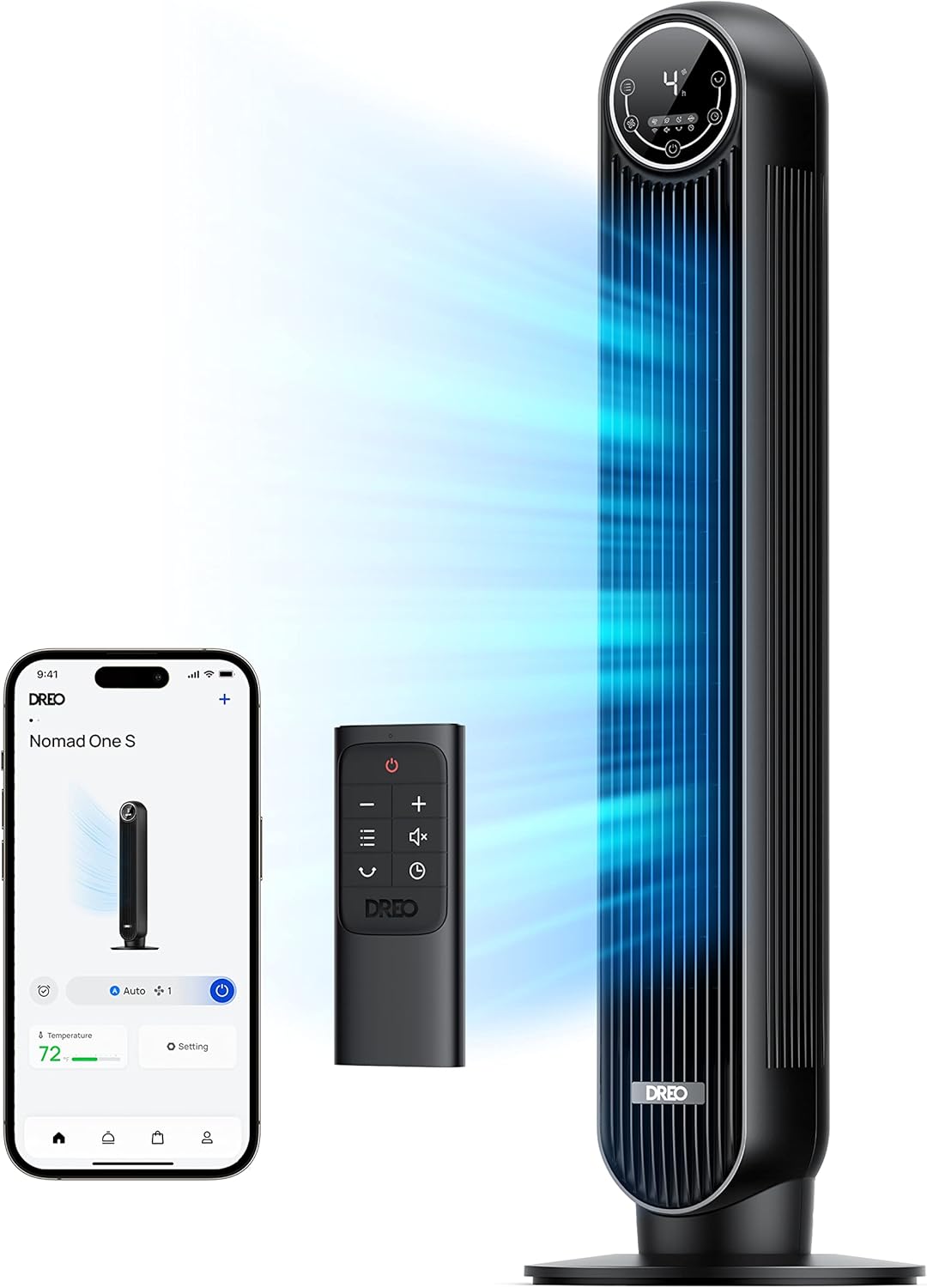
DREO Smart Tower Fan for Bedroom
Its 8 speeds and 4 modes move air up to 28 ft/s with a 34-ft reach, and its 90-degree oscillation runs on app, voice or remote control.
View on Amazon -

Levoit Tower Fan for Bedroom
Its 12 speeds and 4 modes reach up to 26 ft/s, with a 24-hour timer, app and voice control, and noise as low as 25 dB.
View on Amazon -

ZAFRO Smart Tower Fan for Bedroom
Its 12 speeds and 4 modes move air up to 28 ft/s with over 43 ft of reach, and its 120-degree oscillation adjusts in the app.
View on Amazon -

Pureborne 42” Tower Fan for Home Bedroom
Its 4 speeds and 4 modes move air at 25 ft/s, with 90-degree oscillation, a 12-hour timer and a rated noise level of 25 dB.
View on Amazon
These come from our ranked list Best WiFi Tower Fan, which compares them spec by spec.
FAQ
Is a tower fan better than a regular fan?
It depends on the room. A tower fan fits tight spaces and sends air along its height, while a regular fan gives a focused stream from spinning blades. Pick the shape that fits your floor space and the height you need air at.
Do all tower fans oscillate?
No. The DREO fan lists 90-degree oscillation, the ZAFRO fan lists 120-degree oscillation and the Pureborne fan lists 90-degree oscillation. Check the specs before you buy if oscillation matters to you.
Can I control a tower fan with my phone?
Yes, if the fan works with an app. All four fans here work with a phone app, a remote control and voice control. Check that the app works with your phone before you buy.