
How-to · Window Fans
How to Use a Window Fan
 By Laura Benning · Updated · How we pick
To use a window fan, fit it in the window, choose intake or exhaust, and set the speed with the controls on the fan. All four fans here reverse airflow, so each fan can draw cool air in or push warm, stale air out. Plug the fan in, follow the maker's manual, and adjust the speed and direction as the air in the room changes.
Fit the fan in the window
Set the fan in the window opening and close the window against the top of the fan, then fill the gaps at the sides with the parts the fan includes. The Bionaire fan fits windows 24 to 36 inches wide, the COMFORT ZONE fan adjusts from 22-1/4 to 33 inches, the Amazon Basics fan fits windows 25 to 32 inches wide, and the Vornado fan fits windows 24 to 38 inches wide. Follow the maker's manual for the fan you buy, and plug the fan into a 120V outlet.
Choose intake or exhaust
A window fan can draw cool air in from outside or push warm air out of the room, and the direction is the first choice to make. Set the fan to intake when the air outside is cooler than the air inside, and set the fan to exhaust when the room holds warm, stale air. The Bionaire fan has independent fan blade control and can draw air in, exhaust air, or do both at the same time, and the COMFORT ZONE, Amazon Basics and Vornado fans also reverse airflow. Switch the direction with the controls on the Bionaire and Vornado fans; on the COMFORT ZONE fan, turn the unit around in the window, and follow the maker's manual.
Set the speed and controls
Start on a low speed and move to a higher speed until the airflow suits the room, then leave the fan on the speed that suits the room. Set the thermostat on the Bionaire fan to the level the maker describes, and follow the maker's manual for the controls on the fan you buy.
Use the screen, cover and feet
The COMFORT ZONE fan has a removable bug screen and a fabric cover that act as a barrier against insects, dust and outdoor debris, so keep the screen and cover in place while the fan runs in the window. The same fan has two removable feet that allow the unit to stand as a freestanding desk or floor fan, so fit the feet only as the maker's manual describes.
What you need
As an Amazon Associate I earn from qualifying purchases. Product details come from each Amazon listing; we do not test products in person.
-

Bionaire Window Fan with Reversible Airflow Blades
A twin window fan with 3 speeds, reversible airflow, a programmable thermostat and a remote control, fitting windows 24 to 36 inches wide.
View on Amazon -

COMFORT ZONE Reversible Twin Window Fan
A twin window fan with 2 speeds and reversible airflow, with auto-locking expanders, a bug screen and a fabric cover.
View on Amazon -

Amazon Basics Twin Window Fan for Home
A twin window fan with 2 speeds, reversible airflow and expandable side panels, fitting windows 25 to 32 inches wide.
View on Amazon -
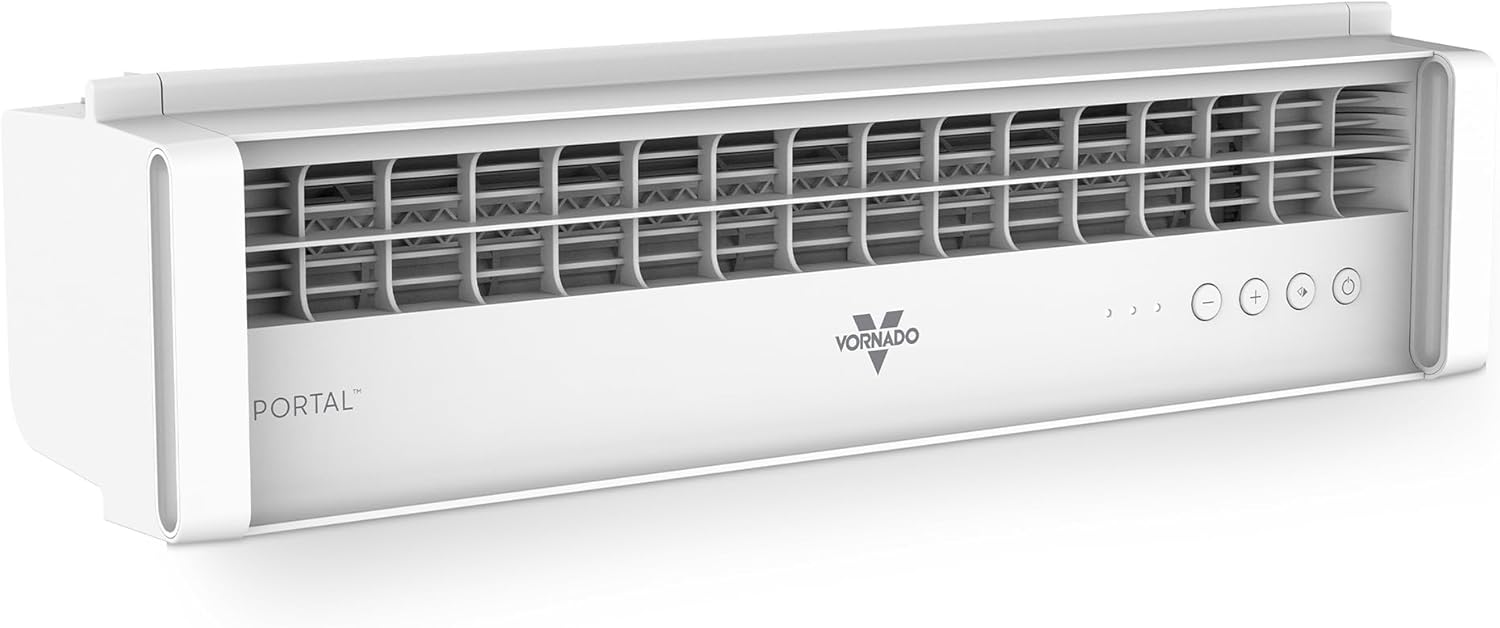
Vornado PORTAL Window Fan
A window fan with 3 speeds and reversible exhaust, fitting windows 24 to 38 inches wide, with a low-profile modular system for a snug fit.
View on Amazon
These come from our ranked list Best Window Fan, which compares them spec by spec.
FAQ
Should a window fan pull air in or push air out?
Either direction works, and the choice depends on the air outside and the air in the room. Use intake when the air outside is cooler, use exhaust when the room holds warm, stale air, and use both at the same time on the Bionaire fan, which has independent fan blade control.
What size window does a window fan fit?
The Bionaire fan fits windows 24 to 36 inches wide, the COMFORT ZONE fan adjusts from 22-1/4 to 33 inches, the Amazon Basics fan fits windows 25 to 32 inches wide, and the Vornado fan fits windows 24 to 38 inches wide. Check the width of your window against the width the maker gives for the fan you buy.
Can I use a window fan as a table fan?
The COMFORT ZONE fan has two removable feet that allow the unit to stand as a freestanding desk or floor fan. Fit the feet as the maker's manual describes, and use the fan in the window when the feet are not fitted.

