
How-to · Reverse Osmosis Systems
How to Maintain a Reverse Osmosis System
 By Laura Benning · Updated · How we pick
To maintain a reverse osmosis system, check the filter status the way your system shows it, change each filter on the schedule in the maker's manual, and run the membrane flush if your system has one. Look under the sink for drips, keep the faucet and tubing clear, and use only the maker's own replacement filters for your model.
Check the filter status
Start by checking how your system shows filter life. Some systems show filter status on a smart faucet or in an app, and others have a clear first-stage housing that lets you see buildup inside. A filter that looks dark or clogged, a drop in flow from the faucet, or a filter light or app alert are signs a change is due. Write down the date you fit each new filter, so you can follow the schedule in the maker's manual.
Change the filters
Turn off the water supply to the system as the manual shows, then open the faucet to release pressure before you touch a filter housing. Take out the old cartridge and fit the maker's own replacement for your model, matching the stage order in the manual. Tighten each housing by hand as the manual shows, then turn the supply back on and check for drips. Let the faucet run as the manual says before you use the water.
Flush the membrane
Some systems flush the membrane on their own through the app, while others need you to start the flush as the manual shows. Flushing rinses the membrane and helps reduce mineral buildup and scaling that can slow the flow from the faucet. Run the flush when the manual or the app asks for it, and after fitting a new filter if the manual says so. If the flow stays slow after a flush and a filter change, contact the maker or a repair service.
Look after the faucet and tank
Wipe the faucet with a soft cloth and water, and keep the area around it dry. If your system has a storage tank, check the space around it for drips and leave it where the manual puts it. Check the tubing for kinks or wear where it bends under the sink, and do not pull or bend it sharply. If a tube or fitting leaks, turn off the supply as the manual shows and contact the maker or a plumber.
What you need
As an Amazon Associate I earn from qualifying purchases. Product details come from each Amazon listing; we do not test products in person.
-

Electrolux PureOne 1200GPD Tankless Reverse Osmosis Under
Its single all-in-one filter gives 12-stage filtration for up to 2 years, and the app tracks filter status and runs automatic membrane flushing.
View on Amazon -
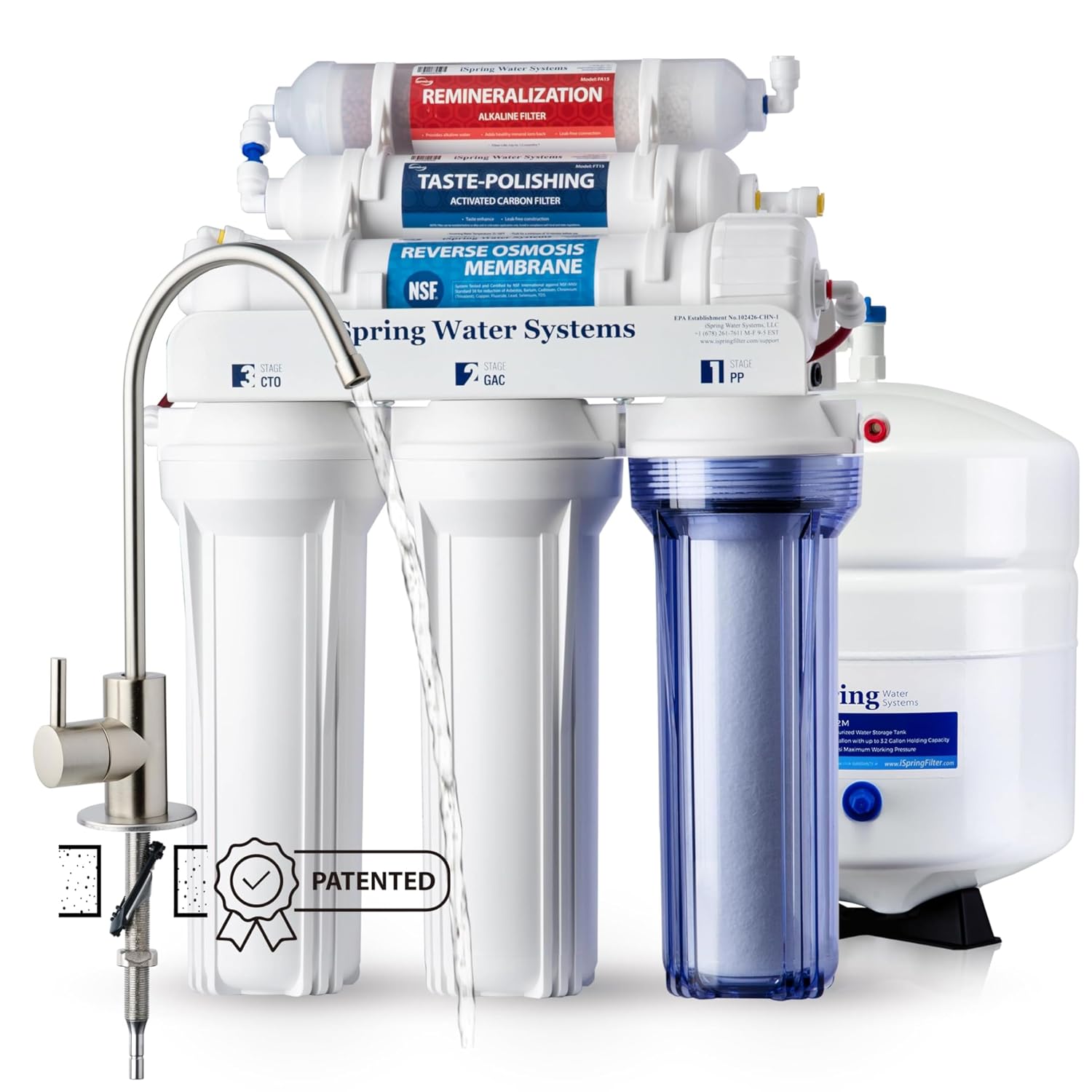
iSpring RCC7AK-BN NSF Certified
Its transparent first-stage housing shows buildup so you can see when a change is due, and its 6-stage system is certified to NSF/ANSI 58.
View on Amazon -

Waterdrop G5P500A Reverse Osmosis System
Its 8-stage tankless system delivers 500 GPD with a 2:1 pure-to-drain ratio, and it is certified to NSF/ANSI 58 and 372.
View on Amazon -

APEC Water ROES-50
Its 5-stage system includes a water tank and quick-connection fittings with colored tubing, and it is certified to NSF/ANSI 58 and 372.
View on Amazon
These come from our ranked list Best Reverse Osmosis, which compares them spec by spec.
FAQ
How often should I change the filters?
Follow the schedule in the maker's manual for your model. Change a filter sooner if it looks dark or clogged, if the flow from the faucet drops, or if a filter light or app alert asks for a change.
Why is the water flow from the faucet slow?
A clogged filter or a membrane that needs flushing is the first thing to check. Change the filter that is due, run the flush as the manual shows, and contact the maker or a repair service if the flow stays slow.
Do I need to flush the membrane?
Some systems flush the membrane on their own through the app, and others need you to start the flush as the manual shows. Flushing rinses the membrane and helps reduce mineral buildup, so follow the manual for your model.


