
How-to · Reverse Osmosis Systems
How to Use a Reverse Osmosis Water Filter
 By Laura Benning · Updated · How we pick
To use a reverse osmosis water filter, open the dedicated faucet to fill a glass, then close it when the glass is full. Each time you open the faucet, the system filters tap water through its stages and sends it to a tank or to the faucet in a tankless model. Change the filter on the schedule in the maker's manual, and watch for a filter that looks grey.
Open the faucet and fill a glass
Lift the lever or turn the handle on the dedicated faucet that came with the system. Let the water run until the glass is full, then close the faucet. The system draws tap water through its filter stages each time you open the faucet. If the water runs slowly, wait for the glass to fill before you close the faucet.
Use the filtered water for drinking and cooking
Fill a glass, a bottle or a pot from the dedicated faucet for drinking and cooking. Use the kitchen tap for washing dishes and other jobs that do not need filtered water. The dedicated faucet gives you filtered water for drinking and cooking, and the Waterdrop system also feeds ice makers, fridges and other water-using devices through Waterdrop XT.
Check the filter status
On the Electrolux system, look at the smart faucet or the phone app to see the filter status. The Electrolux system shows water quality, filter status and system performance on its smart faucet and app. The iSpring system has a transparent first-stage housing, so you can see what the first filter has caught. When the faucet or app asks for a change, order the maker's own replacement filter.
Flush the membrane when the app says so
The Electrolux system can run automatic membrane flushing through its app, and the app schedules the flush. Open the app, turn on automatic flushing, and let the system rinse the membrane on its own schedule. Flushing helps reduce mineral buildup on the membrane.
Change the filter on the maker's schedule
Follow the schedule in the maker's manual for changing each filter, and watch for the signs the system gives you, such as a filter that looks grey or a light or app alert. The Electrolux system uses one all-in-one cartridge, so there is a single cartridge to change. The iSpring system has replacement filter sets for its 6 stages, and the APEC system takes its Filter-Max-ES50 filter set.
What you need
As an Amazon Associate I earn from qualifying purchases. Product details come from each Amazon listing; we do not test products in person.
-

Electrolux PureOne 1200GPD Tankless Reverse Osmosis Under
Its single all-in-one cartridge gives 12-stage filtration at 1,200 GPD, with a smart faucet and app that show filter status and a 3:1 pure-to-drain ratio.
View on Amazon -
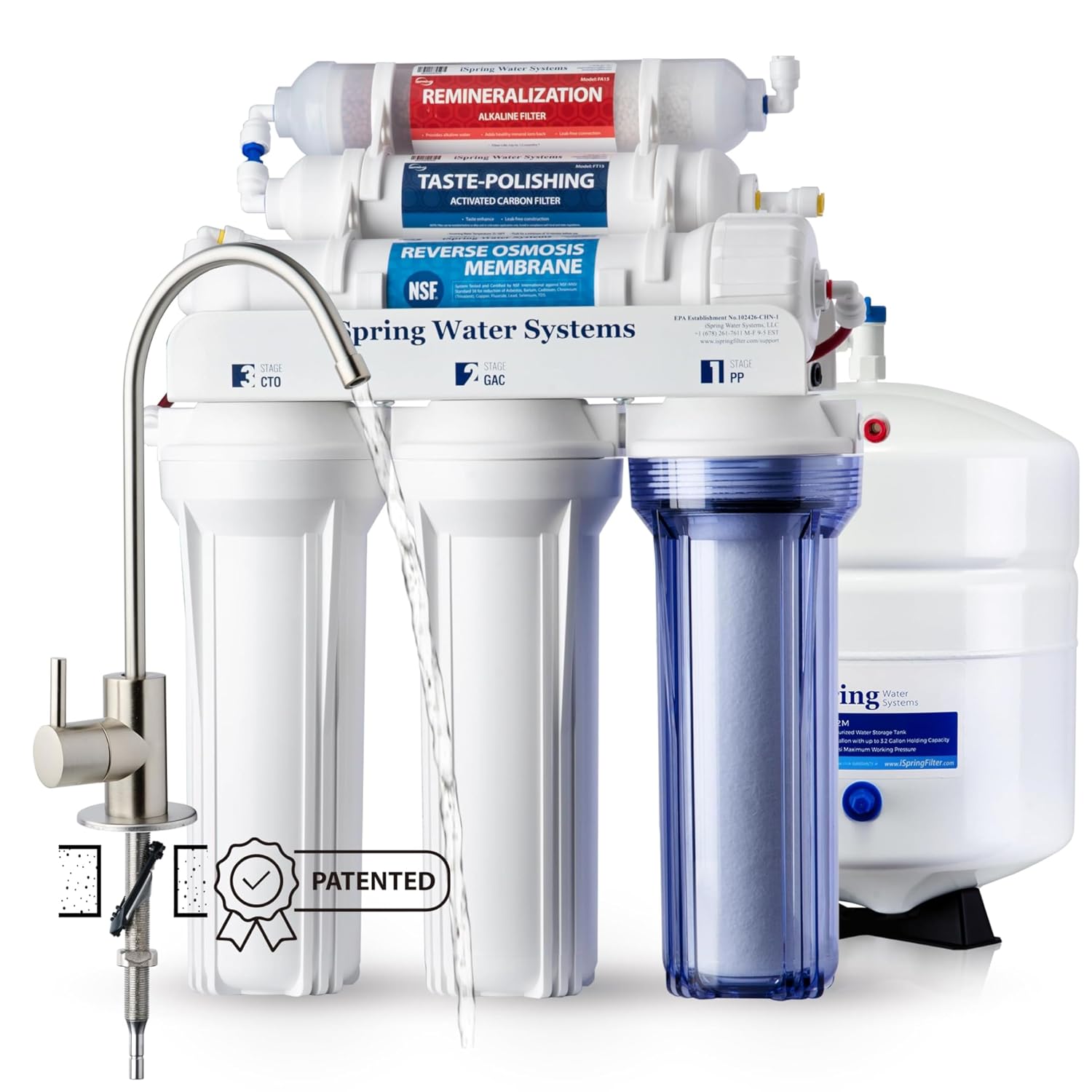
iSpring RCC7AK-BN NSF Certified
Its 6-stage system gives 75 GPD with an alkaline mineral stage, NSF/ANSI 58 certification, and a transparent first-stage housing for watching buildup.
View on Amazon -

Waterdrop G5P500A Reverse Osmosis System
Its 8-stage tankless system gives 500 GPD with an alkaline mineral stage, NSF/ANSI 58 and 372 certification, and a 2:1 pure-to-drain ratio.
View on Amazon -

APEC Water ROES-50
Its 5-stage system gives 50 GPD with NSF/ANSI 58 and 372 certification, a storage tank, and quick connection fittings with colored tubing.
View on Amazon
These come from our ranked list Best Reverse Osmosis, which compares them spec by spec.
FAQ
How do I know when to change the filter?
Follow the schedule in the maker's manual, and watch for a filter that looks grey or a light alert.
Does a reverse osmosis system need a tank?
Not always. The Electrolux and Waterdrop systems are tankless, so they make filtered water on demand. The iSpring and APEC systems include a storage tank that holds filtered water for the faucet.
Can I connect the system to a fridge or ice maker?
The Waterdrop system connects to ice makers, fridges and other water-using devices through Waterdrop XT. For other systems, follow the maker's installation manual, and hire a licensed plumber where the manual says so.
What does the pure-to-drain ratio mean?
It is the share of filtered water against the water the system sends to the drain. The Electrolux system states a 3:1 pure-to-drain ratio, and the Waterdrop system states a 2:1 pure-to-drain ratio.


