How-to · Mesh Wi-Fi Systems
What Mesh WiFi Means
 By Laura Benning · Updated · How we pick
Mesh WiFi means a set of two or more units that work together as one network under a single network name. One unit connects to your modem and the others spread the signal, so your phone or laptop stays on the same network as you move from room to room. The units pass your device between them instead of making you join a separate extender network.
How the units work together
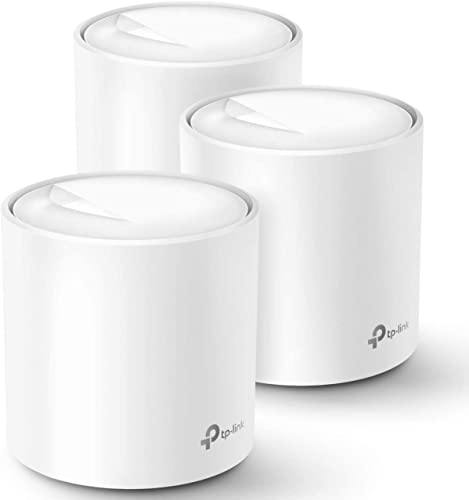
A mesh system uses several units instead of one router. One unit plugs into your modem and the others pick up its signal and pass it on, so the units form one network under a single network name. Your phone or laptop moves between units without joining a new network: the Deco system switches you to the optimal unit with AI-Roaming, and eero Pro 7 uses TrueMesh software with TrueRoam to keep you on the optimal connection.
Mesh compared with a single router
A single router sends its signal from one spot, so rooms far from it can get a weak signal. A mesh system spreads units around the home so each area has a unit nearby. Compare the maker's coverage figure: the Deco 7 Pro is rated for up to 8,100 sq ft by the maker, the Orbi 870 for up to 9,000 sq ft, the eero Pro 7 for up to 6,000 sq ft, and the Tenda Nova MX12 for up to 7,000 sq ft.
What to check before you buy
Check the Wi-Fi standard first: the Deco 7 Pro, Orbi 870, and eero Pro 7 use Wi-Fi 7, while the Tenda Nova MX12 uses Wi-Fi 6. Check how many devices the system links at once: the Deco handles over 200 devices, the Orbi links up to 150 devices, the eero Pro 7 supports 600+ devices, and the Tenda handles over 160 devices. Each system in this list comes as a 3-pack. Check the wired ports too: the Deco has a 10 Gbps port and the Orbi has a 10 Gig internet port.
Setting up the units
Connect the main unit to your modem, then place the other units where the signal needs to reach and follow the maker's manual. The Deco app, the Orbi app, and the Tenda WiFi app guide setup and manage the network. You can add a unit later: the Orbi 870 takes an added satellite for up to 3,000 sq ft of additional coverage, and a new Tenda node joins with the push of the Mesh button.
What you need
As an Amazon Associate I earn from qualifying purchases. Product details come from each Amazon listing; we do not test products in person.
-

TP-Link Deco 7 Pro Tri-Band BE14000 Wi-Fi
A Wi-Fi 7 tri-band 3-pack rated for up to 8,100 sq ft by the maker, with a 10 Gbps port, AI-Roaming, and control through the Deco app.
View on Amazon -

NETGEAR Orbi 870 Series WiFi 7 Mesh
A WiFi 7 tri-band 3-pack rated for up to 9,000 sq ft by the maker, with a 10 Gig internet port and setup through the Orbi app.
View on Amazon -

Amazon eero Pro 7 tri-band mesh Wi-Fi
A Wi-Fi 7 tri-band 3-pack rated for up to 6,000 sq ft by the maker, supporting internet plans up to 5 Gbps and 600+ devices.
View on Amazon -

Tenda AX3000 WiFi 6 Mesh System Nova
A Wi-Fi 6 dual-band 3-pack rated for up to 7,000 sq ft by the maker, for 160+ devices, with setup through the Tenda WiFi app.
View on Amazon
These come from our ranked list Best Mesh WiFi System, which compares them spec by spec.
FAQ
Do I need mesh WiFi for a small home?
Not always. A mesh system helps when one router does not reach every room or floor. Compare the maker's coverage figure with the area you want covered, and check whether the system lets you add a unit later.
Can I mix mesh units from different brands?
Stay within one brand and range. The Tenda MX series cannot form a mesh network with the MW series, while the eero Pro 7 is backward compatible with all previous generations of eero.
Does mesh WiFi use one network name?
Yes. The Deco system creates a unified home network under a single network name, and the Orbi router plus 2 satellites link up to 150 devices on one network.