
How-to · Mesh Wi-Fi Systems
What Is a Whole Home Mesh WiFi System?
 By Laura Benning · Updated · How we pick
A whole home mesh WiFi system is a set of units that work together as one network. One main unit connects to your modem, and the other units spread the signal through your home, so your devices stay connected as you move from room to room. The four systems in this guide each come as a 3-pack, with maker-rated coverage from 6,000 to 9,000 sq ft.
How a mesh system works
A mesh system uses more than one unit that work as a single network. The main unit connects to your modem, and the other units, called satellites or points, pick up the signal and pass it on through your home. Your phone or laptop moves between units without you changing networks, since the units share one network name. The four systems in this guide each come as a 3-pack: one main unit plus two more units to place around your home.
What the coverage figure means
Each maker states a coverage figure for its 3-pack. The Orbi 870 Series is rated for up to 9,000 sq ft by the maker, the Deco 7 Pro for up to 8,100 sq ft, the Google Nest WiFi Pro for up to 6,600 sq ft, and the eero Pro 7 for up to 6,000 sq ft. Read the figure as the maker's rating for the pack, not a promise for every home.
How many devices it handles
The device count tells you how many phones, laptops, TVs, and other devices the maker says the system can link at once. The Orbi 870 Series links up to 150 devices on one network, the Deco 7 Pro covers over 200 devices at a time, and the eero Pro 7 supports 600+ devices. Count every connected device in your home before you compare, including smart plugs and cameras, since each one takes a place on the network.
How to set one up
Start by connecting the main unit to your modem with a cable, then plug it in and place the other units where the signal needs to reach. The Orbi app gives guided step-by-step setup, and the Deco app gives step-by-step instructions for setup and management. Put each unit within reach of the next one, and keep them out in the open rather than inside a closed cabinet. Follow the steps in the app for your model, and check the maker's manual if a unit does not join the network.
What you need
As an Amazon Associate I earn from qualifying purchases. Product details come from each Amazon listing; we do not test products in person.
-

NETGEAR Orbi 870 Series WiFi 7 Mesh
A WiFi 7 mesh system, 3-pack, rated for up to 9,000 sq ft by the maker, for up to 150 devices, with a 10 Gig internet port.
View on Amazon -

TP-Link Deco 7 Pro Tri-Band BE14000 Wi-Fi
A Wi-Fi 7 mesh system, 3-pack, rated for up to 8,100 sq ft by the maker, for over 200 devices, with a 10 Gbps port on each unit.
View on Amazon -

Amazon eero Pro 7 tri-band mesh Wi-Fi
A Wi-Fi 7 mesh system, 3-pack, rated for up to 6,000 sq ft by the maker, for 600+ devices, with two 5 GbE ports.
View on Amazon -
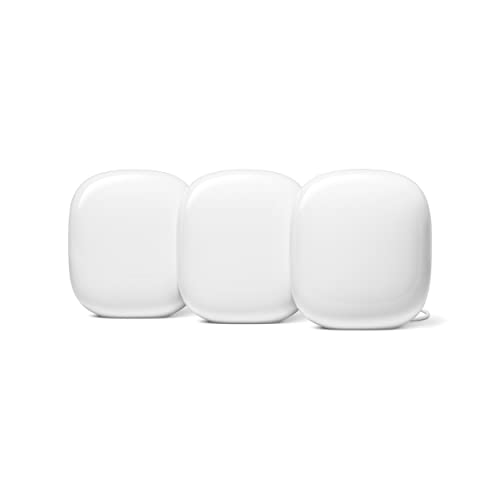
Google Nest WiFi Pro
A Wi-Fi 6E mesh system, 3-pack, rated for up to 6,600 sq ft by the maker, with three bands: 2.4 GHz, 5 GHz, and 6 GHz.
View on Amazon
These come from our ranked list Best Whole Home Mesh WiFi System, which compares them spec by spec.
FAQ
Do I still need a modem with a mesh system?
Yes. The main unit connects to your modem, and the mesh units share that connection through your home.
Can I add more units to a mesh system later?
Yes, with the Orbi 870 Series. Check the maker's guidance for your model before adding a unit.
Which Wi-Fi version do these systems use?
Three of the four use Wi-Fi 7: the Orbi 870 Series, the Deco 7 Pro, and the eero Pro 7. The Google Nest WiFi Pro uses Wi-Fi 6E, and it is not compatible with previous generations of Google Wifi or Nest Wifi.


