How-to · Mesh Wi-Fi Systems
What Is a Mesh Router and How It Works
 By Laura Benning · Updated · How we pick
A mesh router is a set of two or more units that work together as one Wi-Fi network, with one unit wired to the modem and the rest placed around the home. Each unit talks to the others, so your phone moves between units on a single network name instead of switching networks. The units pass traffic between themselves, which spreads coverage into rooms a single router cannot reach.
What a mesh router is
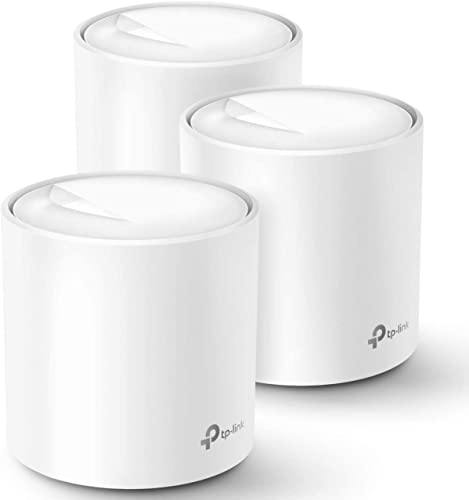
A mesh router is a router plus extra units, called satellites or nodes, that work as one network. One unit plugs into the modem and acts as the main router, and the other units spread the signal into more rooms. All four systems here come as a 3-pack, so each has a main unit and two more units to place around the home. The units share one network name, so devices see one network instead of a separate network per room.
How the units share the connection
The units pass traffic between themselves over a backhaul link, which is the connection between the units. Some systems use one of the Wi-Fi bands for backhaul, and some offer a wired backhaul instead. The Deco 7 Pro states a 10 Gbps wired backhaul, and the Orbi 870 uses tri-band Wi-Fi with Enhanced Backhaul. Read the backhaul figures the maker states before you pick a system.
How devices move between units
Your phone stays on one network name as you walk around, and the system hands it to the nearest unit. The Deco 7 Pro uses AI-Roaming to switch you to the optimal Deco unit, and eero Pro 7 uses TrueMesh software with TrueRoam to keep you on the optimal connection. The Tenda Nova states roaming for all its units, so each unit works with the others as one network.
How to place the units
Put the main unit where the modem sits, then place the other units between it and the rooms with weak signal. Keep units out in the open, not behind furniture or inside a cabinet, so the signal passes between them. Compare the maker's coverage figures for the systems here: the Orbi 870 is rated for up to 9,000 sq ft, the Deco 7 Pro for up to 8,100 sq ft, the Tenda Nova for up to 7,000 sq ft, and the eero Pro 7 for up to 6,000 sq ft.
What you need
As an Amazon Associate I earn from qualifying purchases. Product details come from each Amazon listing; we do not test products in person.
-

TP-Link Deco 7 Pro Tri-Band BE14000 Wi-Fi
A 3-pack Wi-Fi 7 system rated for up to 8,100 sq ft and over 200 devices, with a 10 Gbps port on each unit and AI-Roaming.
View on Amazon -

NETGEAR Orbi 870 Series WiFi 7 Mesh
A 3-pack Wi-Fi 7 system rated for up to 9,000 sq ft and 150 devices, with a 10 Gig internet port and app-guided setup.
View on Amazon -

Amazon eero Pro 7 tri-band mesh Wi-Fi
A 3-pack Wi-Fi 7 system rated for up to 6,000 sq ft and 600+ devices, with two 5 GbE ports and a three-year warranty.
View on Amazon -

Tenda AX3000 WiFi 6 Mesh System Nova
A 3-pack Wi-Fi 6 system rated for up to 7,000 sq ft and over 160 devices, with dual-band speeds up to 2976 Mbps and app setup.
View on Amazon
These come from our ranked list Best Mesh WiFi System, which compares them spec by spec.
FAQ
Do I still need a modem with a mesh router?
Yes. The main unit connects to your modem, and the modem brings the internet into the home. The Deco 7 Pro works with modems from providers such as Verizon Fios, Spectrum, Cox and Comcast, and the Orbi 870 connects to your existing modem.
Can I add more units to a mesh system later?
Yes, if the maker sells matching units for your system. The Orbi 870 takes an added Orbi 870 Series satellite for up to 3,000 sq ft of added coverage, and the Tenda Nova takes a new node added with the push of the Mesh button.
Is a mesh router the same as a Wi-Fi extender?
No. An extender repeats one router's signal under a second network name, while a mesh system uses several units under one network name. The Tenda Nova is built to replace extender and router setups, and the Deco 7 Pro creates one unified network under a single network name.