How-to · Pool Pumps
How to Set a Pool Filter to Vacuum Mode
 By Laura Benning · Updated · How we pick
To set a pool filter to vacuum, turn the pump off, attach the vacuum hose to the skimmer, and move the multiport valve to the filter position. Fill the hose with water so the pump stays primed, then turn the pump on and guide the vacuum head across the pool floor. The filter catches the dirt the vacuum picks up.
Turn the pump off first
Switch the pump off before you touch the filter valve or the hose, since moving the valve while the pump runs can damage the valve seal. Leave the pump off until the hose is connected and the valve is set. Check the pump basket and empty it if leaves or debris fill it, so water flows freely once the pump starts again. A clear basket also keeps the pump primed while you vacuum.
Connect the vacuum hose
Push the vacuum head onto the end of the hose and lower both into the pool, then feed the hose down until it fills with water and no air bubbles rise from it. Hold the free end of the hose against a return jet or under the water until the air is out, then connect it to the skimmer opening. Keep the hose end under water while you connect it, so air does not enter the line and the pump does not lose prime.
Set the filter valve
Turn the multiport valve handle to the filter position for routine vacuuming, so the dirt the vacuum picks up is caught in the filter. If the pool floor holds a large amount of leaves or dirt, use the waste position instead, so the debris bypasses the filter and leaves through the waste line. Check the water level before you vacuum to waste, since water leaves the pool in that position. Follow the valve labels on your own filter and the maker's manual.
Vacuum the pool floor
Turn the pump on and watch the vacuum head and hose for steady suction before you start moving. Guide the head across the floor in slow, overlapping passes, and pause over spots where dirt has settled. If suction fades, check the pump basket and the skimmer basket for debris, and check the hose connections for air leaks. Work toward the shallow end so you finish near the steps.
Finish and reset the filter
Turn the pump off, then move the valve back to the filter position if you vacuumed to waste. Empty the pump basket and the skimmer basket. Backwash and rinse the filter if the maker's manual says the pressure has risen enough to need it, then note the pressure gauge reading while the filter is clean, return the valve to filter and turn the pump on.
What you need
As an Amazon Associate I earn from qualifying purchases. Product details come from each Amazon listing; we do not test products in person.
-
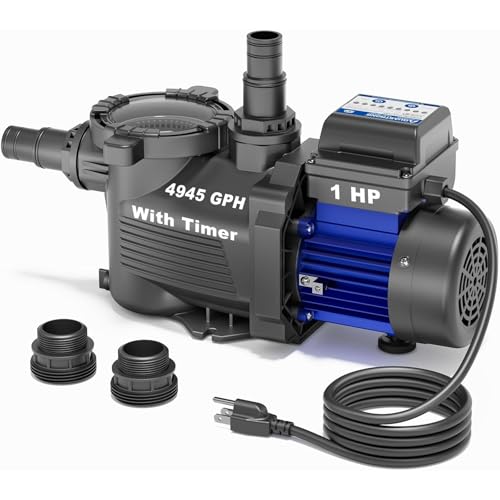
AQUASTRONG 1 HP Above Ground Pool Pump
A 1 HP above-ground pump with a built-in 24-hour programmable timer, a large filter basket, and a 4,945 GPH maximum flow.
View on Amazon -

LINGXIAO Pool Pump Inground 1HP 6340GPH Single
A 1 HP single-speed pump with a 6,340 GPH maximum flow, an extra-large removable filter basket, and a 2-year warranty.
View on Amazon -

Hayward Super Pump InGround Pool Pump
A 1 HP single-speed in-ground pump with an extra-large debris basket and swing-away hand knobs for strainer cover removal.
View on Amazon -

Flynsu Fits Hayward W3SP1580 PowerFlo LX 1 HP
A 1 HP single-speed above-ground pump with a see-through strainer cover, an oversized debris basket, and a 12-month warranty.
View on Amazon
These come from our ranked list Best 1 Hp Pool Pump, which compares them spec by spec.
FAQ
What valve setting do I use to vacuum a pool?
Use the filter position for routine vacuuming, so the filter catches the dirt. Use the waste position when the pool floor holds a large amount of leaves or dirt, so the debris bypasses the filter. Turn the pump off before you move the valve.
Why does my pool pump lose prime while I vacuum?
Air in the hose or a loose connection is the first thing to check. Fill the hose with water before you connect it, keep the hose end under water while you connect it, and check the pump basket lid and the hose connections for leaks.
Do I vacuum a pool on filter or waste?
Vacuum on filter for routine cleaning, since the filter catches the dirt and the water returns to the pool. Vacuum on waste for a large amount of debris, since the dirt leaves through the waste line instead of loading the filter.